Every thought, followed through.
Write down whatever’s on your mind. Spunto reads it, suggests the reminder, event or message it calls for, and files the rest where you’ll find it again. Nothing happens until you keep it.
Coming soon. Planned pricing: 14 days free, then $14.99 once. No subscription.


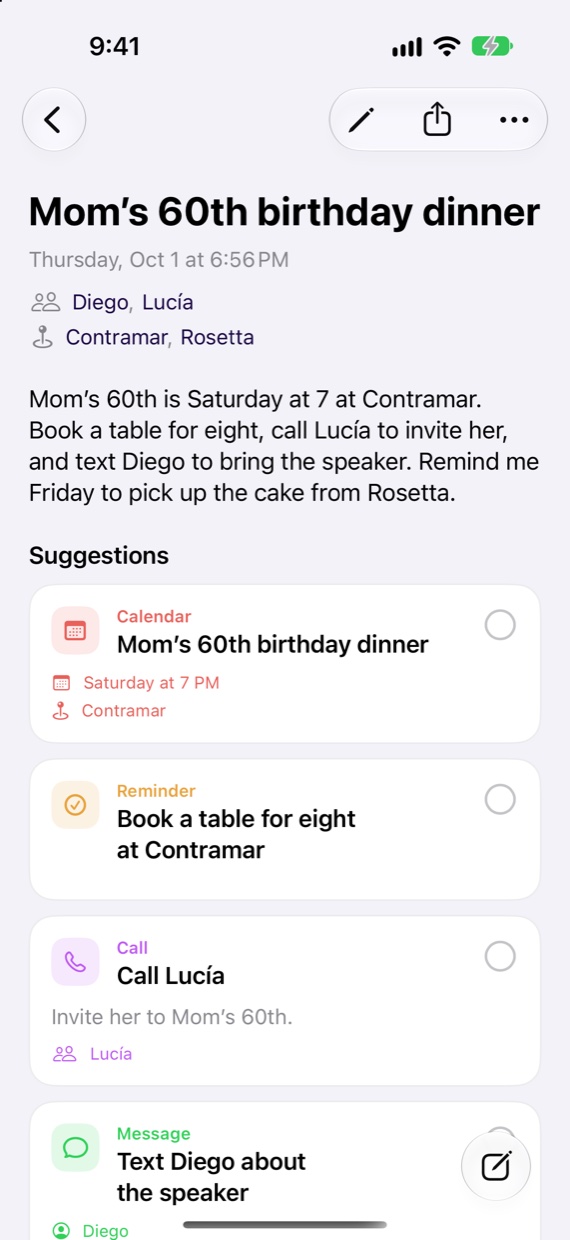
One sentence. Every errand in it.
Other apps make you take a thought apart and file each piece by hand. Spunto reads the whole thing, finds the people, places and times, and lines up every action in it, each headed for the app that owns it.
Suggestions
Tap the ones worth keeping.
Out of your head and done, in three moves.
-
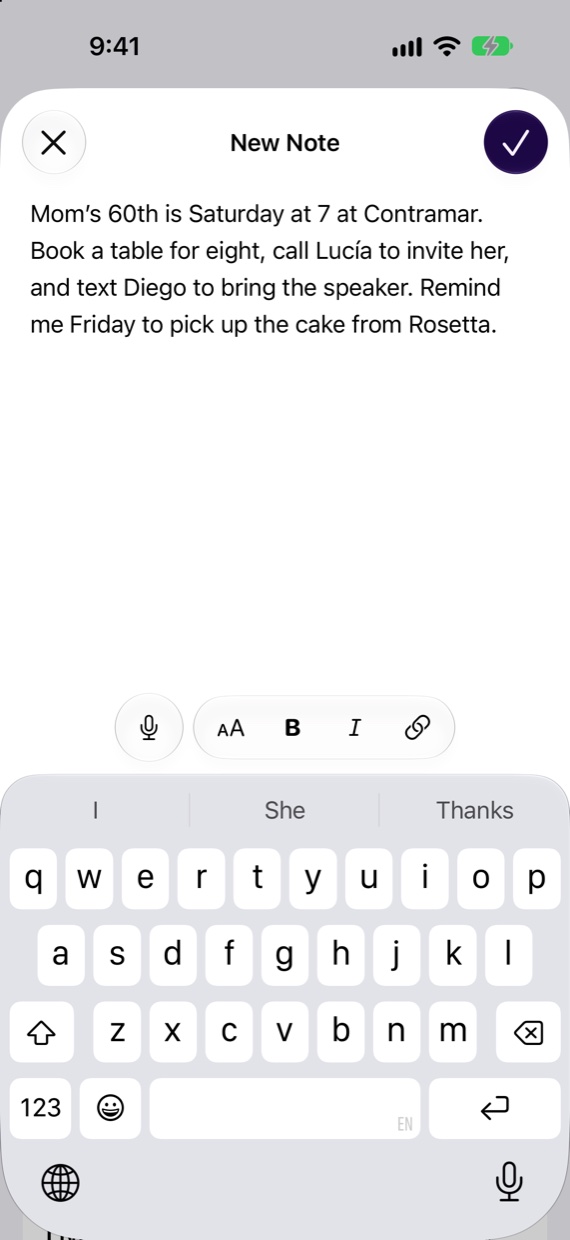
Write it down
However it comes out.
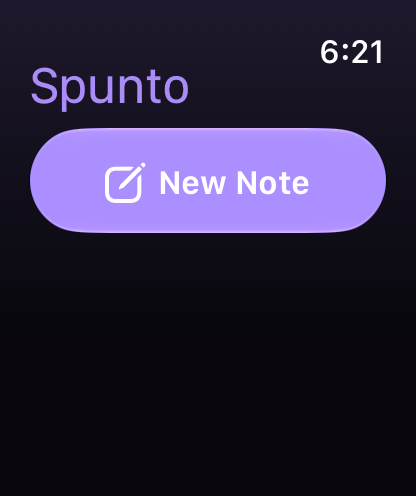
Type or dictate from the compose button, the Action button, your watch or the Mac menu bar. Spunto takes it from there.
-
Decide in a tap
Keep what’s right.
Suggestions wait on the note’s own page. Keep one with a tap, dismiss the rest. The Inbox only holds what still needs you.
-
Get it done
In the app that owns it.
What you keep becomes a real reminder, event, alarm or contact, or waits in Actions with the button that finishes it.
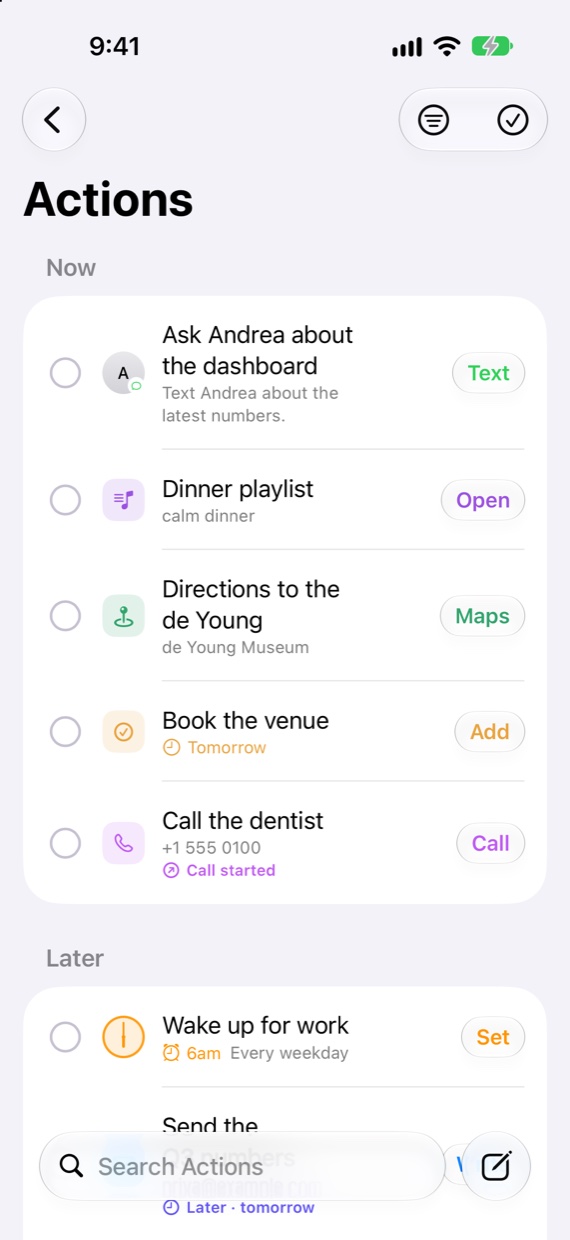

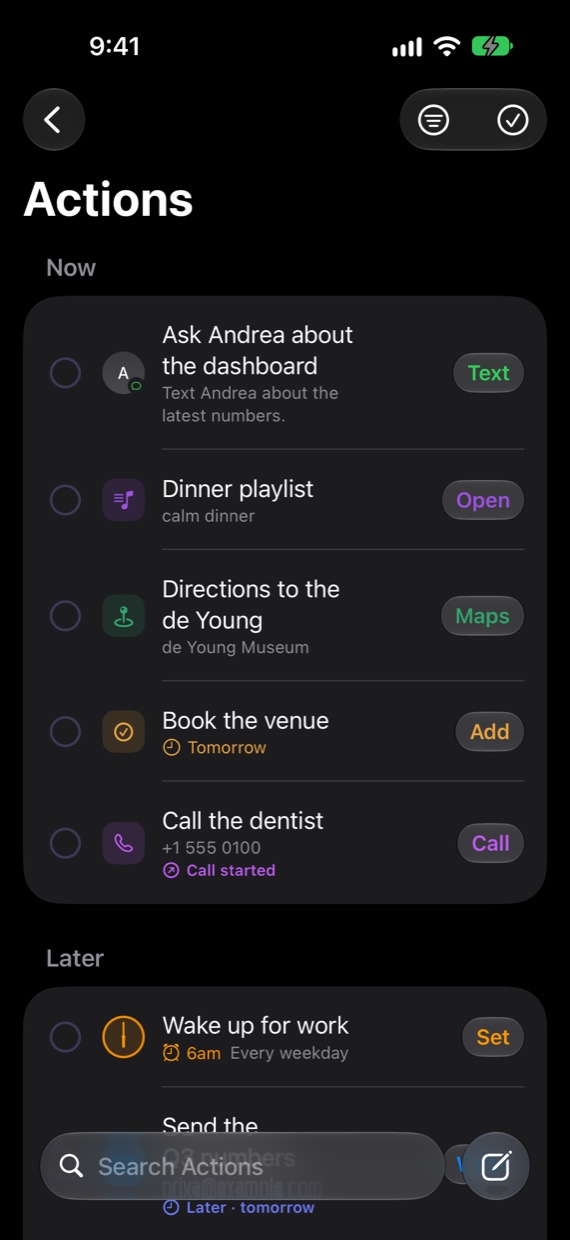
One calm list of what you meant to do.
Actions holds only what you chose to keep, never a pile of maybes. Now is what you can do today. Later waits for its moment.
- One tap finishes it.Call, Text, Maps, Add, Set. Every action carries the button that gets it done.
- Later, when you mean later.Move anything to tonight, the weekend, next week or a date of your choosing.
- Next Up, without opening the app.Widgets, StandBy and your watch show what’s next, with a Done button right there.

Notes that keep themselves in order.
Every note is filed under a topic and linked to the people, places and things it mentions. Each of them gets a page that sums up what you’ve written, with the note behind every line.

Pages that stay current
Andrea’s page knows the review moved to Friday because you wrote it down. Open threads and preferences come first.
Ask your notes
Ask a plain question and get an answer drawn from what you wrote, with its sources a tap away.
Your words, kept
Every edit and polish is saved as a version. What you originally wrote is always one tap away.
Wherever the thought arrives.
Spunto is a native app on every Apple device, built for each one. One Library, kept in step by iCloud.
Your thoughts stay between you and Apple.
Spunto has no servers, no account and no analytics. Your notes live on your devices and in your own iCloud.
Read by Apple Intelligence
On your device, or on Apple’s Private Cloud Compute, which doesn’t keep your data or make it available to Apple.
Nothing without you
Nothing is added until you keep it. Spunto never sends a message, places a call or opens an app on its own.
Nobody watching
No tracking, no ads, no third-party code. We couldn’t read your notes if we wanted to.

Get it out of your head.
Try it free for 14 days, then pay once. One purchase covers iPhone, iPad, Mac, Apple Watch and Vision Pro.
Coming soon. Planned pricing: 14 days free, then $14.99 once. No subscription.