For iPhone, iPad, Mac, Apple Watch and Vision Pro
A smarter notes app.
Write a note. Spunto connects it to your people, places and topics, and suggests actions you can use with a tap.
14 days free, then $9.99 once. Launch price until December 31, 2026, then $14.99. No subscription.


Suggested actions
From a quick note to a next step.
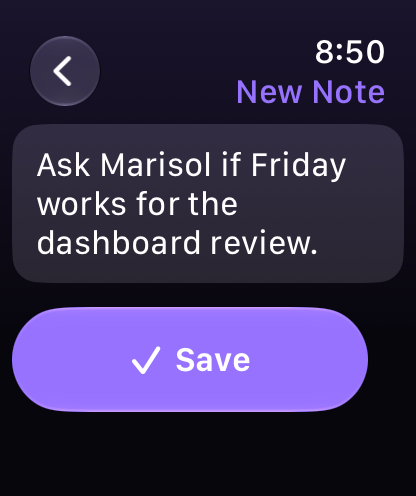
Suggested actions appear beside your note, ready to use. Tap an action when you want to follow through.
Your note
New Note
Suggestions

Connected to your everyday apps.
Choose a connection to see an example.
Your note
Lunch with Juve Friday 1 pm she picks the place
Calendar
AddLunch with Juve
Friday, 1:00 PM
Your note
Look into passport renewal tomorrow morning
Reminders
AddRenew passport
Tomorrow, 9:00 AM
Your note
Madrid flight at 8 wake up 5:30
Alarms
SetFlight to Madrid
5:30 AM
Your note
Pasta 11 min
Timers
StartPasta
11 minutes
Your note
Email Alex the meeting notes before Monday
Mail
WriteEmail Alex
Meeting notes
Your note
Get the board games back from Jamie for Saturday
Messages
TextText Jamie
Board games for Saturday
Your note
Call Mom tonight about Sunday lunch
Calls
CallCall Mom
Sunday lunch
Your note
Rafa plumber +1 202 555 0147
Contacts
AddSave Rafa’s number
+1 202 555 0147
Your note
Café Nin Mexico City Ana recommended the guava roll
Maps
MapsCafé Nin
Mexico City
Your note
Weekend reading apple.com article from Leo
Websites
OpenThe article Leo sent
apple.com
Your note
In the End Linkin Park
Apple Music
FindIn the End
Linkin Park
Your note
Log third glass of water today
Shortcuts
RunLog Water
Third glass today
Your note
Run 30 min after work
Workouts
StartOutdoor run
30 minutes
Automatic organization
Every note, where you need it.
An assignment due Monday, a grocery list, somewhere to go with friends. Write it however it comes to you. Spunto brings together notes about the same topic, place or person, so you don’t have to remember where you put them.
For school
The exam date, a question from class and what to study, together with your other notes for that course.
For home
Who paid for internet this month, what you need from the store and how you agreed to split the bills.
For your plans
Who’s bringing what, where you’re meeting and when. Without digging through all your notes.
The same note, filed under
TopicRoom search
PersonAlex
PlaceAlbany Park
Albany Park
Compare the rooms you’ve seen.
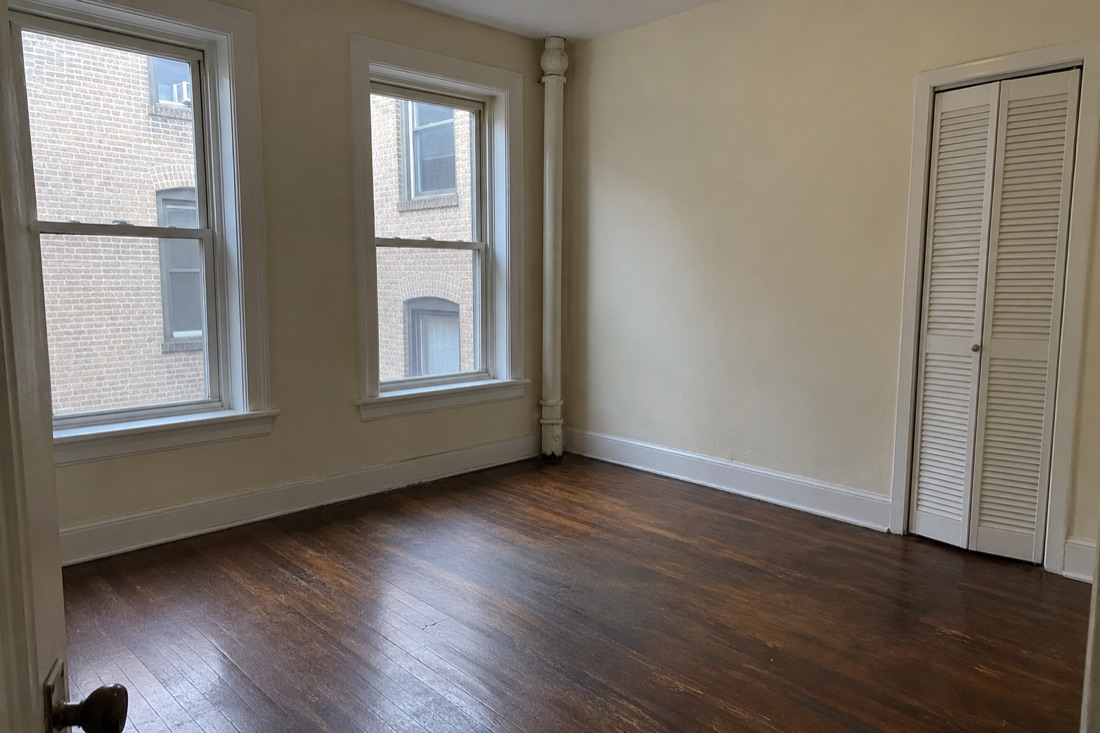
Photos, rent and the details you picked up on each tour. Apple Intelligence brings your notes together so you can compare rooms and find what you need.
Summary
Compare the details you saved about each room.
Room search
Still to ask: is there laundry in the Albany Park building? 3
Sources
- 1Room in Albany Park
$650 a month. Alex says water is included; electricity is extra. Shared bathroom. No pets.
- 2Room in Rogers Park
$725 a month, plus water and electricity. Pets are welcome, so Chiwis can come too.
- 3The walk to the L
Walked from the Albany Park room to the L. Two blocks. Ask whether there’s laundry in the building.
- 4Seeing it again
Alex can show me the Albany Park room again on Saturday at 11.
Ask your notes
Find an answer without opening every note.
Sources
- 1Room in Albany Park
$650 a month. Alex says water is included; electricity is extra. Shared bathroom. No pets.
- 2Room in Rogers Park
$725 a month, plus water and electricity. Pets are welcome, so Chiwis can come too.
- 3The walk to the L
Walked from the Albany Park room to the L. Two blocks. Ask whether there’s laundry in the building.
- 4Seeing it again
Alex can show me the Albany Park room again on Saturday at 11.
Constellation
A sky of your own.
Notes about the same thing gather into constellations, and Spunto names each one. The newest shine brightest, and lines join the notes that belong together.
Room in Albany Park
The walk to the L
Seeing it again on Saturday
Room in Rogers Park
Jamie has our board games
Board games on Saturday
Lunch with Juve
Humboldt Park
Passport renewal
Flight to Madrid
The tram in Lisbon
Café Nin
Meeting notes for Alex
Review moved to Friday
The article Leo sent
Mom’s knee
Sunday lunch with Mom
In the End, all day
Pasta, 11 minutes
A run after work
Open a constellation to see its notes.
Each constellation, named
Spunto names each one for what its notes share. Rename one, merge two, or move a note to another.
Links you can see
Rest on a star to light its links. A note that answers, updates or disagrees with another says so.
Share it
Share your sky or a single constellation as a star chart. It shows the stars and the month, never what your notes say.
Constellation uses Private Cloud Compute and starts once you have 50 notes.
Versions
Edit without losing the original.
See what changed and bring back the words you want to keep. Earlier drafts and removed photos stay in your history, even after you restore a version.
Drag the pages or move along the timeline.
Summary
See what your notes add up to.
Which ideas keep coming up? What did you decide, and what’s still open? Spunto brings your week or month of notes together in a summary. Choose the tone, length and what to focus on. Every observation links back to the original notes.
- See what an insight is based on.Check the original notes and actions behind an insight. Dismiss one that misses the mark.
- See how your thinking changed.Revisit a decision with both the earlier thought and the newer note that changed it.
- Return to the moments behind it.Find the notes from a particular day when you want to remember how the week unfolded.
- Where you were.Remember what was on your mind in each place, and retrace the week through the notes you wrote there.

Only on iPhone Duo
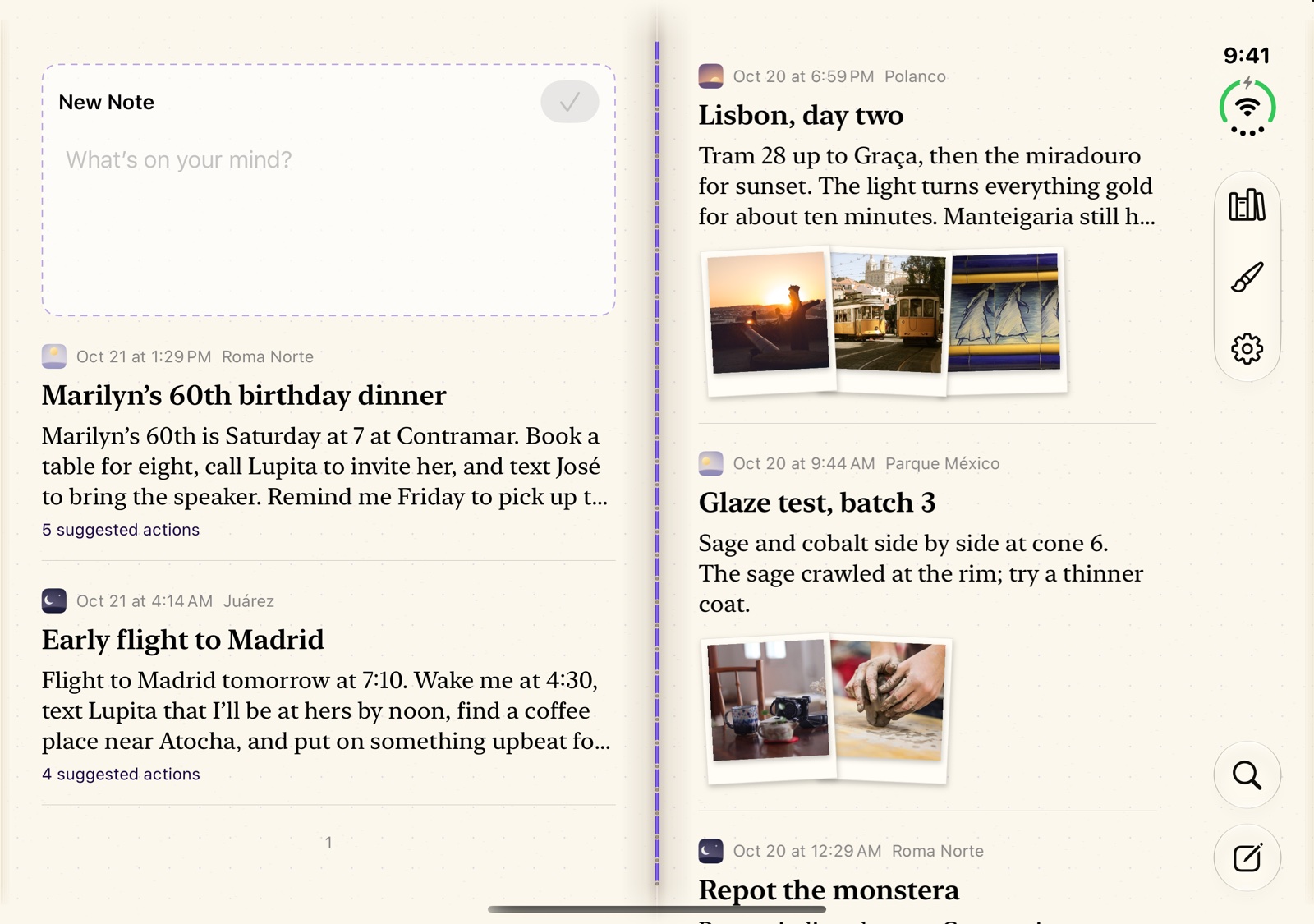
A notebook that feels like yours.
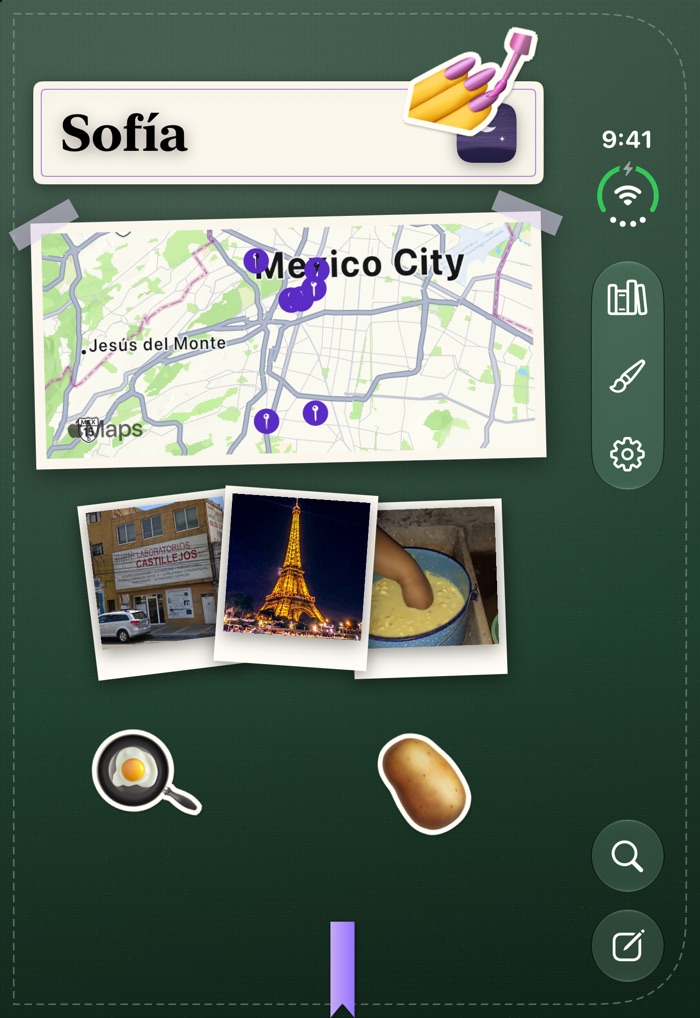
On iPhone Duo, give Spunto a cover with your name, photos and a color you love. Open it to flip through the week’s notes.



Cover color
On the cover
Stickers
Stick on up to three. Drag one anywhere, or off the cover to peel it away.
A cover made from your week
Your name, a map of where you wrote, recent photos and what’s next, on cloth in the color you choose. Or keep it plain.
Pages you turn by hand
Open it like a book. This week’s notes, a few to a page, with room for a new one on the first.
Stickers where you want them
Add up to three emoji, Genmoji or stickers. Move, turn and resize them until the cover looks like yours.
Notebook is an option in Settings on iPhone Duo. The rest of Spunto is always a tap away.
Everywhere you are
A note, wherever you are.
Dictate a note on your Apple Watch, jot something down on your Mac and pick it up later on your iPhone. Spunto keeps your notes and actions in sync through iCloud.
The Action buttonSave a spoken thought before it gets away, without opening Spunto.
Apple WatchCapture a thought from your Apple Watch.
The Mac menu barSave a thought while you’re using another app, without switching windows.
Widgets and ControlsKeep the next action in view and a new note within reach, from your Home Screen to Control Center.
Siri and ShortcutsCapture notes and find actions with Siri and Shortcuts.
The share sheetKeep a passage worth returning to. Send it from Safari or Books straight into a note.
Privacy
Your thoughts stay private.
Spunto has no servers, no account and no analytics. Your notes live on your devices and in your own iCloud.
Read by Apple Intelligence
Apple Intelligence uses Private Cloud Compute, with the on-device model as backup. Private Cloud Compute doesn’t store your request or make it accessible to Apple.
You decide what happens next
Spunto only acts when you tap an action.
No ads. No tracking.
The app has no analytics, ads or third-party SDKs. Your notes aren’t sent to us.
Apple Vision Pro
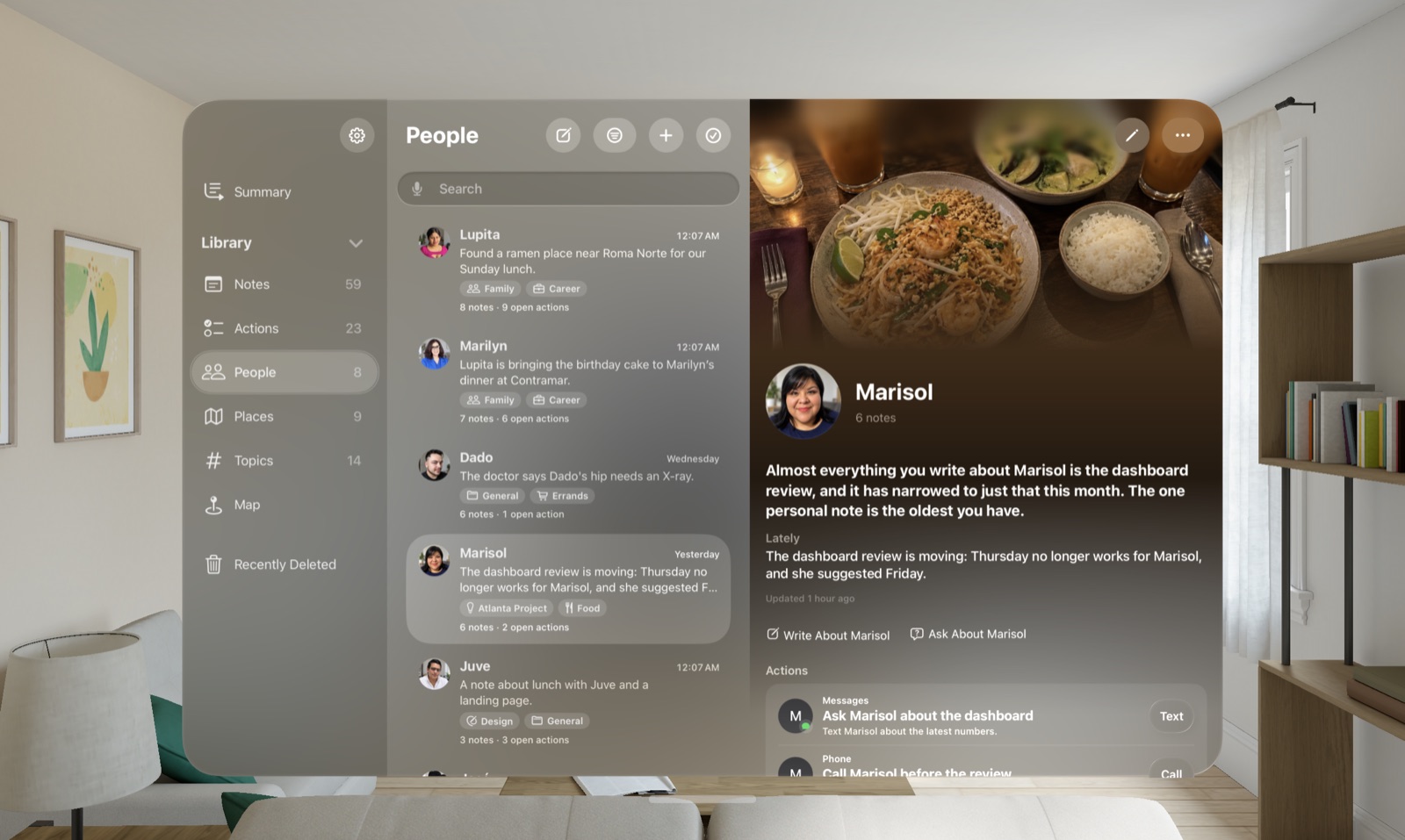
Space to think.
Keep the context around you. Read a note beside its people, topics and related thoughts in a window you can place anywhere.
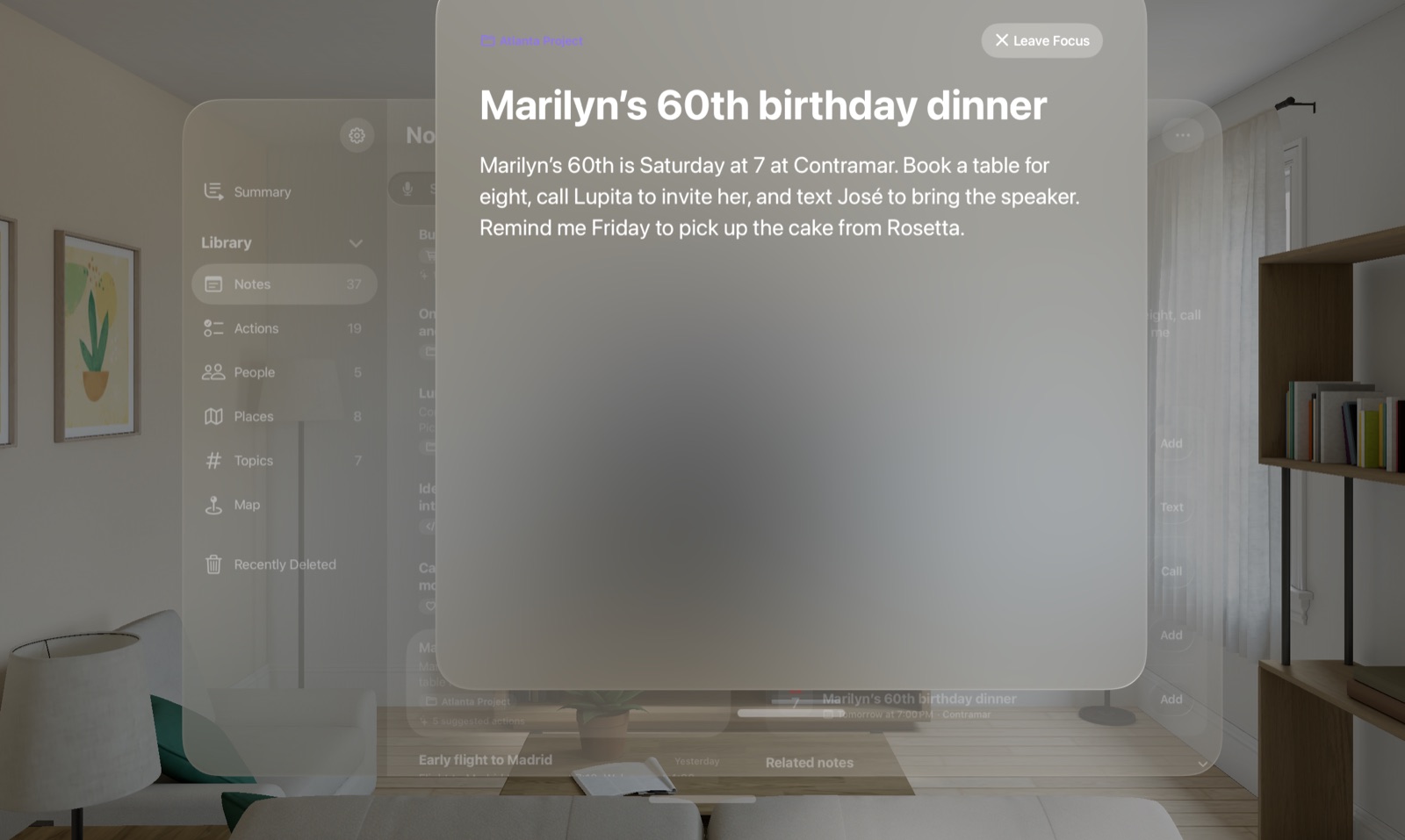
Focus gives one note your full attention by dimming the room around it.

Keep the thought. Follow it through.
Try it free for 14 days, then pay once. One purchase covers iPhone, iPad, Mac, Apple Watch and Vision Pro.
14 days free, then $9.99 once. Launch price until December 31, 2026, then $14.99. No subscription.